抛砖引玉
- window.location | window.history | history 库 | react-router | react-router-redux(connected-react-router)
- history.listen 什么时候触发?变化时触发?我调用history.replace(),但是 location 参数没变化会触发吗?
- dispatch(routerRedux.push(…)) 为什么要这样写?history.push(…)可以吗?routerRedux 我们用对了吗?
- 搞这么多 API 真复杂,使用浏览器原生 API 解析 url 和跳转,不香吗?香,但要避免踩坑(兼容:浏览器的兼容、hashHistory 和 browserHistory 的兼容)
浏览器 API
location
https://dev.to/samanthaming/window-location-cheatsheet-4edl
https://developer.mozilla.org/en-US/docs/Web/API/Location
小结:
window.location 与 location 是一个东西,甚至与 window.document.location 和 document.location 都是一个东西
掌握读写操作,读 - 知道字段含义,写 - 知道方法区别
1
2
3
4
5
6
7
8
9
10
11
12
13
14
15
16
17
18
ancestorOrigins: DOMStringList {length: 0}
assign: ƒ assign()
fragmentDirective: FragmentDirective {}
hash: "#components-table-demo-virtual-list"
host: "ant.design"
hostname: "ant.design"
href: "https://ant.design/components/table-cn/?useless=1&test=2#components-table-demo-virtual-list"
origin: "https://ant.design"
pathname: "/components/table-cn/"
port: ""
protocol: "https:"
reload: ƒ reload()
replace: ƒ replace()
search: "?useless=1&test=2"
toString: ƒ toString()
valueOf: ƒ valueOf()
Symbol(Symbol.toPrimitive): undefined
__proto__: Locationlocation.origin 会有老版浏览器兼容问题
window.history
https://developer.mozilla.org/zh-CN/docs/Web/API/History
window.history、history 一个东西
为了与 history 库区分,以下都叫 window.history
小结:
出于隐私考虑,不会获取到详细的浏览历史
window.history.pushState、window.history.replaceState:相同之处是两个 API 都会操作浏览器的历史记录,而不会引起页面的刷新;不同之处在于,pushState会增加一条新的历史记录,而replaceState则会替换当前的历史记录。
前端路由解决方案
什么叫前端路由:改变 URL,不会请求后端(不刷新),但是页面内容会发生变化
那么有哪些情况改变 URL,不会请求后端:
- hash 变化(无论使用js、还是在地址栏输入),不会请求后端
window.history.pushState()
怎么让页面内容变化:
就是要让 js 知道 url 变化了,怎么搞?
- 对于方案 1
window.addEventListener('hashchange', ...) - 对于方案 2
window.addEventListener('popstate', ...)
history 库
https://github.com/ReactTraining/history
它封装了上面两种方案,统一了浏览器差异
小结:
改变 URL,不会请求后端
1
2
3
4
5
history.push(path, [state]);
history.replace(path, [state]);
history.go(n);
history.goBack();
history.goForward();让 js 知道 url 变化了
history.listen((location, action) => ...),这里的 location 可不是 window.location,但是对字段使用了相同的命名{ pathname, search, hash, state },你一定记得 history@2.x 有个 query 参数,在 history@3.x 中可以通过使用 useQueries 参数,让 location 有 query 参数,但在 history@4.x 完全取消了 query,为的是保证 history.location 是 window.location 的严格子集你可能不知道
1
2
3
const history = createHistory({
basename: '/the/base'
});你可能不知道
1
2
3
4
5
6
7
8
9
10
11
12
13
14
15
16
// Register a simple prompt message that will be shown the
// user before they navigate away from the current page.
const unblock = history.block('Are you sure you want to leave this page?');
// Or use a function that returns the message when it's needed.
history.block((location, action) => {
// The location and action arguments indicate the location
// we're transitioning to and how we're getting there.
// A common use case is to prevent the user from leaving the
// page if there's a form they haven't submitted yet.
if (input.value !== '') return 'Are you sure you want to leave this page?';
});
// To stop blocking transitions, call the function returned from block().
unblock();browserHistory 需要服务端做什么?把所有请求(或视情况而定)转发到 index.html
举一个实际的例子,现在的前端 nginx,只做了域名和静态资源简单的映射
如:只做了 https://zyh.group.com/ -> https://static.group.com/zyh/index.html于是你访问 https://zyh.group.com/#/list -> https://static.group.com/zyh/index.html#/list
但你访问 https://zyh.group.com/table -> https://static.group.com/zyh/index.html/table 就出错了
需要如下配置
1
2
3
location / {
try_files $uri /index.html;
}这样你访问 https://zyh.group.com/xxx/xxx 都会返回 https://static.group.com/zyh/index.html
也可以 node 做,谁都可以做
react-router
https://github.com/ReactTraining/react-router
- 注意大版本升级的 breaking changes,印象中 @2.x 升 @3.x 和 @3.x 升 @4.x 时,网上都是一片哀嚎,据说 @4.x 升 @5.x 很平稳
- @4.x 是有一波大的重构,有了
<Switch />,一开始还不明白这是干嘛的,其实就如同 js 中的 switch, 依次匹配,匹配成功则停止,是为了防止 url 匹配到多个符合条件的路由 <Link />组件和<a />标签一样吗?- 官方说的 react-router-redux 已经不支持 react-router@4.x 了
react-router-redux
https://github.com/reactjs/react-router-redux
同步 router 和 redux
小结:
为什么不维护?很多依赖的 react api 即将废弃,需要一波重构,结果社区已经有人搞好了。用的时候也会看到很多 warning,并且放到 react-router 中维护了,但是只维护 @4.x,@5.x 以上可以看到都删掉了,之后得改用 connected-react-router,dva 最新的代码中都改了
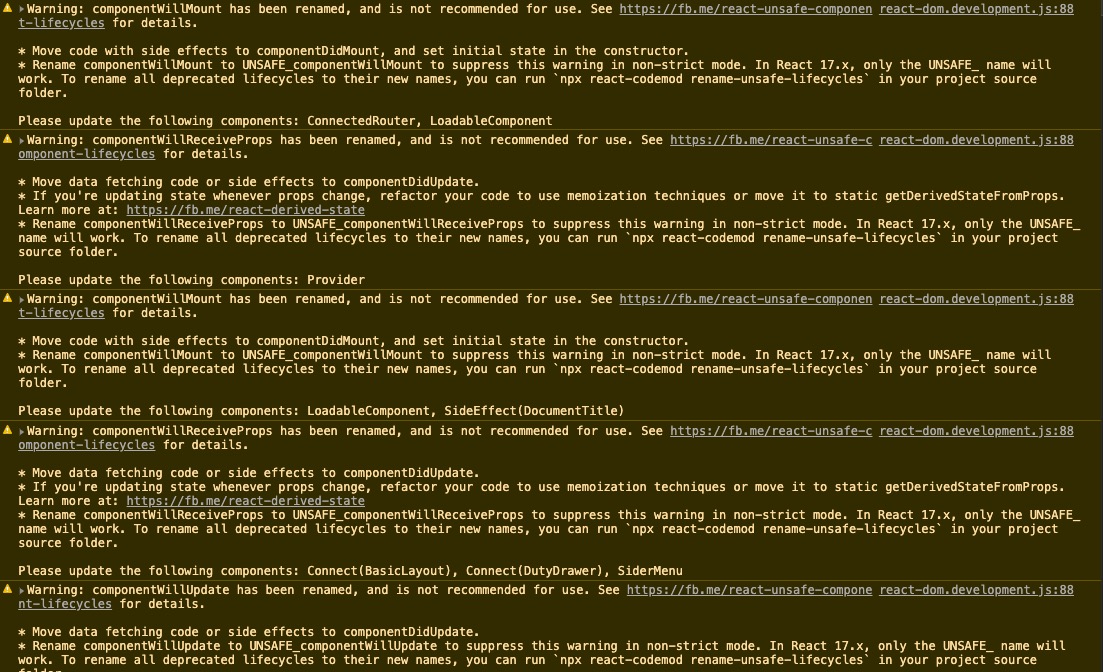
都已经不维护了,才发现之前根本没用对
https://github.com/ReactTraining/react-router/blob/v4.3.1/packages/react-router-redux/README.md
https://github.com/dvajs/dva/blob/2.4/packages/dva/src/index.js
connected-react-router
https://github.com/supasate/connected-react-router
小结:
- 用 hooks api 做了重构,用法和 react-router-redux 差不多
回到开始的问题
…
routerRedux.push(...)返回的是action,所以要dispatch,history.push(...)其实可以满足相同的需求。
区别是前者需要注入dispatch,使用connect注入;后者需要注入history,要么react-router已注入,要么使用withRouter在 model 中跳转需使用前者
小心下面情况
1
2
3
4
5
6
// "https://zyh.group.com/#/list?key=1&value=2"
console.log(window.location)
// ...
hash: "#/list?key=1&value=2"
search: ""
// ...1
2
3
4
5// "https://zyh.group.com/list?key=1&value=2#hash"
// ...
hash: "#hash"
search: "?key=1&value=2"
// ...